Gnomes! How to Redeem Codes
Exact steps to claim RELEASE! and troubleshoot failed redemptions in Gnomes! [Steal & Escape].
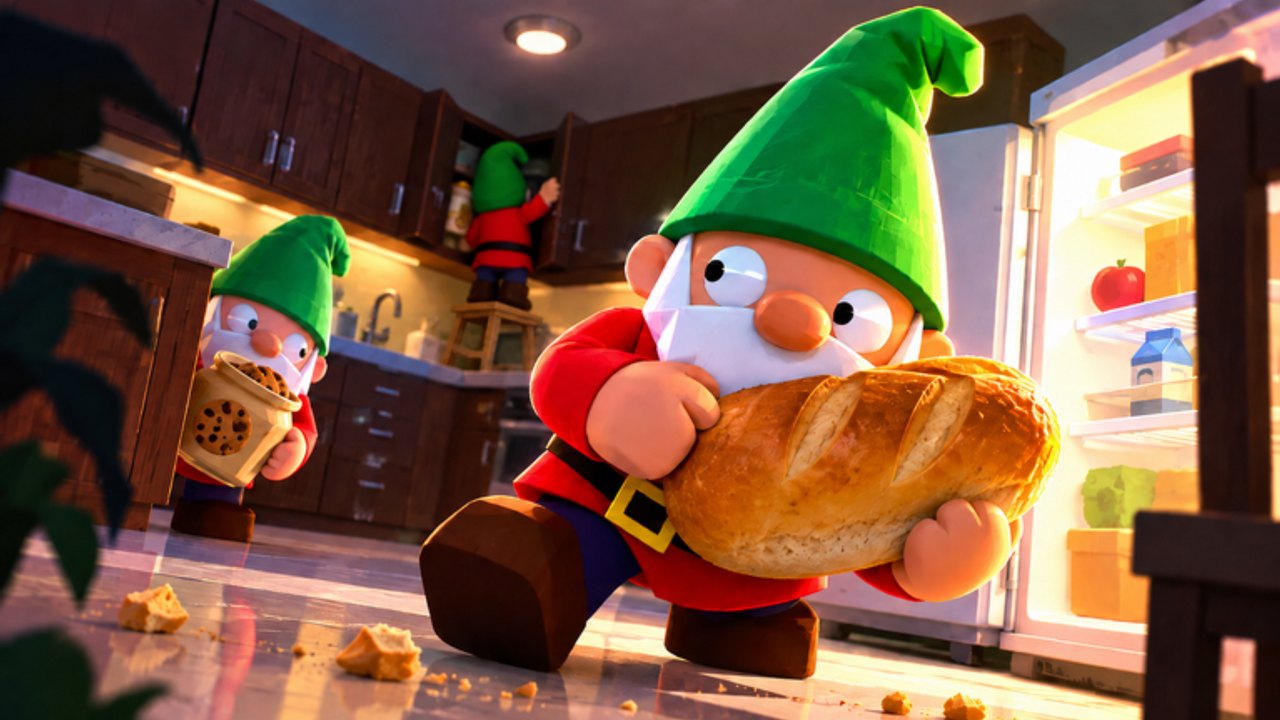
This guide walks through redeeming promo codes in Gnomes! [Steal & Escape] on Roblox. The only confirmed code for this place right now is RELEASE! for 125 Coins. If you came from a list that mixes in Stealing Gnomes or Burglin’ Gnomes strings, ignore those—they belong to other experiences. Use this page with the live table on the Codes Hub.
Before you start
- Correct game. Open the Sneaky Gnomes experience (place
103331563595376). Confirm the title reads Gnomes! / Gnomes! [Steal & Escape], not a lookalike. - Stable session. Finish loading into the lobby or menu where account UI appears. Redeeming mid-heist is usually unavailable or easy to mis-tap on mobile.
- Clipboard ready. Copy
RELEASE!including the exclamation mark so you do not drop the!on a soft keyboard. - Know your goal. Coins fund tools and upgrades that support sneaking, stealing, and escaping. After redeeming, follow Getting Started so the reward is not wasted.
Step-by-step redemption
1. Launch the experience
From Roblox on PC, mobile, or console, join Gnomes!. Wait until UI chrome (menus, buttons, currency) is interactable. If the place is updating, wait for the restart banner to clear—codes often fail during version mismatches.
2. Open the codes or redeem panel
Look for a Codes, Redeem, Gift, or shop-adjacent button in the lobby or pause menu. Early-access UIs move as the developers iterate, so check both the main lobby HUD and any settings or shop tabs. You are looking for a text field that accepts a short string, not a Roblox website Promocode box for catalog items.
3. Enter the code exactly
Type or paste:
RELEASE!Rules that matter:
- Include the exclamation mark
- Do not add spaces before or after
- Match letter case as shown (all caps for this code)
- Do not append extra punctuation from chat copy-paste
4. Submit and verify the reward
Press the confirm / redeem control. A success toast or balance change should show 125 Coins. Open your currency display and confirm the total increased. If nothing changes, do not spam-submit ten times—read the error and use the troubleshooting section below.
5. Leave the menu and play with intent
Close the panel, then plan a short heist: light loot, clear escape path, extract before the Homeowner pressure spikes. Coins sitting unspent do not help; tools and upgrades do. When you are ready to prioritize purchases, skim the Tier List Hub and Stealth Tips.
Platform notes (PC, mobile, console)
Gnomes! runs through Roblox on PC, mobile, and console. The redeem flow is the same idea on each client, but input differs:
- PC: Keyboard paste is reliable. Click the field once before Ctrl+V.
- Mobile: Long-press paste; watch Autocorrect—disable it for the field if the
!gets stripped. - Console: Use the on-screen keyboard carefully; confirm the
!character is present before submitting.
If the UI label differs slightly after a patch, the behavior is still “string in, reward out.” Re-check Updates when a patch notes shop or menu changes.
Troubleshooting
Code invalid or not found
- Re-type
RELEASE!manually; clipboard apps sometimes add invisible characters. - Confirm you are not in another gnome-themed place.
- Check the Codes Hub—if we marked the code expired after a future patch, it will no longer work.
Already claimed / already redeemed
Promo codes are typically one claim per account. A second attempt on the same Roblox account will fail even if the code is still globally active. Alt accounts are separate Roblox accounts with their own rules and risks; this wiki does not encourage ban evasion. If you are unsure whether the first claim succeeded, check Coin balance history or inventory rather than re-entering blindly.
Expired
Developers can disable strings after events. An expired code is not a bug on your device. Remove it from your notes and watch Updates plus this hub for replacements. Do not trust random “infinite codes 2026” lists that never name Gnomes! [Steal & Escape] specifically.
No codes button visible
- Finish any mandatory tutorial popups that block the lobby.
- Rejoin the server after a client update.
- Try another device type if one client build is behind.
- If the feature was temporarily removed during a hotfix, wait for the next note on Updates.
Coins did not appear
Rejoin once to refresh replicated data. If the success message appeared but the balance did not, avoid buying anything until the total is correct so you do not mis-count. Still stuck after a relog? Document the exact error text and check official channels linked from the Links Hub.
After you redeem: what good looks like
A clean redemption ends with 125 Coins banked and a short shopping plan:
- Unlock the cheapest upgrade that clearly helps stealth or escape reliability.
- Run a low-greed heist to learn Homeowner timing—see How to Escape.
- Complete early quests for sustained rewards—see Quests.
- Return to the Codes Hub whenever a patch drops, not every hour.
Codes never require third-party executors. If someone says you must run a script to claim RELEASE!, they are wrong. Optional client discussions live under Scripts and are unrelated to official promo redemption.
Common mistakes checklist
- Forgot the
!inRELEASE! - Redeemed in the wrong Roblox game
- Expected multiple claims on one account
- Spent all Coins on cosmetics before learning extraction
- Confused this title with Stealing Gnomes / Burglin’ Gnomes code lists
Work the checklist top to bottom before asking in chat. Most failures are typos or wrong-place issues.
Related links
- Codes Hub — active table and reward notes
- Getting Started — first-hour plan after Coins land
- Updates — when menus or codes change
- Guides Hub — escape, stealth, and quest deep dives
Redeem once, verify the balance, then get back to sneaking, stealing, and escaping with a clearer head start.
Frequently Asked Questions
Quick answers for heists, codes, and upgrades.
What exact text do I type to redeem?
Enter `RELEASE!` with the exclamation mark and no extra spaces. Confirm the live reward on the Codes Hub.
Can I redeem the same code twice?
Usually no—one successful claim per Roblox account. If it says already claimed, your 125 Coins should already be on that account; continue with Getting Started.
The code says invalid. What now?
Check spelling, confirm you are in Gnomes! [Steal & Escape], and see whether the code expired on the Codes Hub. Full fixes are in the troubleshooting section above.
Is redeeming different on mobile?
Same steps, but watch Autocorrect removing `!`. Paste carefully, then verify Coins before starting a heist. Platform notes are earlier on this page; pair with Stealth Tips once you drop in.
Do codes work during a heist?
Redeem in the lobby or menu when the codes UI is available. Finish claiming, then focus on extraction—see How to Escape.